A cleaner Google Images.

Glass replaces Google's default image results with a uniform card grid and a custom full-screen viewer. Related modules, sponsored tiles, and result annotations are hidden so you see only the images.

No account required No telemetry
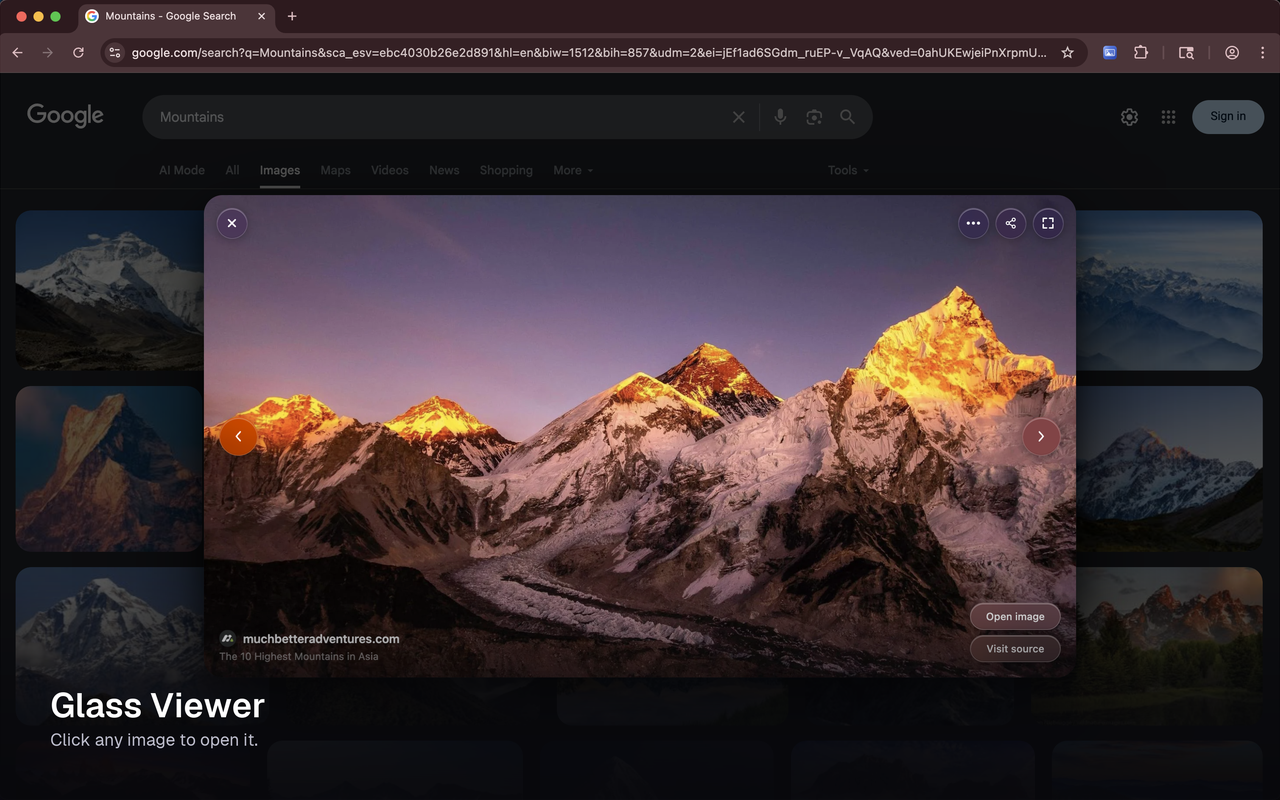
Glass overlay viewer showing a centered image on a dimmed blurred backdrop.

Watch It Work

A short walkthrough of the extension in action

A quick screen recording of a Google Images search, with a few results opened in the glass viewer.

What It Does

Five small changes that make Google Images feel calm

Every change is reversible. Disable Glass from the toolbar popup any time and the page returns to normal instantly.

01 · Layout

Card Grid

Results are displayed in a consistent grid with rounded corners and a subtle hover lift. Images that don't match the grid aspect ratio get a reflective blurred background instead of white padding. The layout stays stable as new results load.
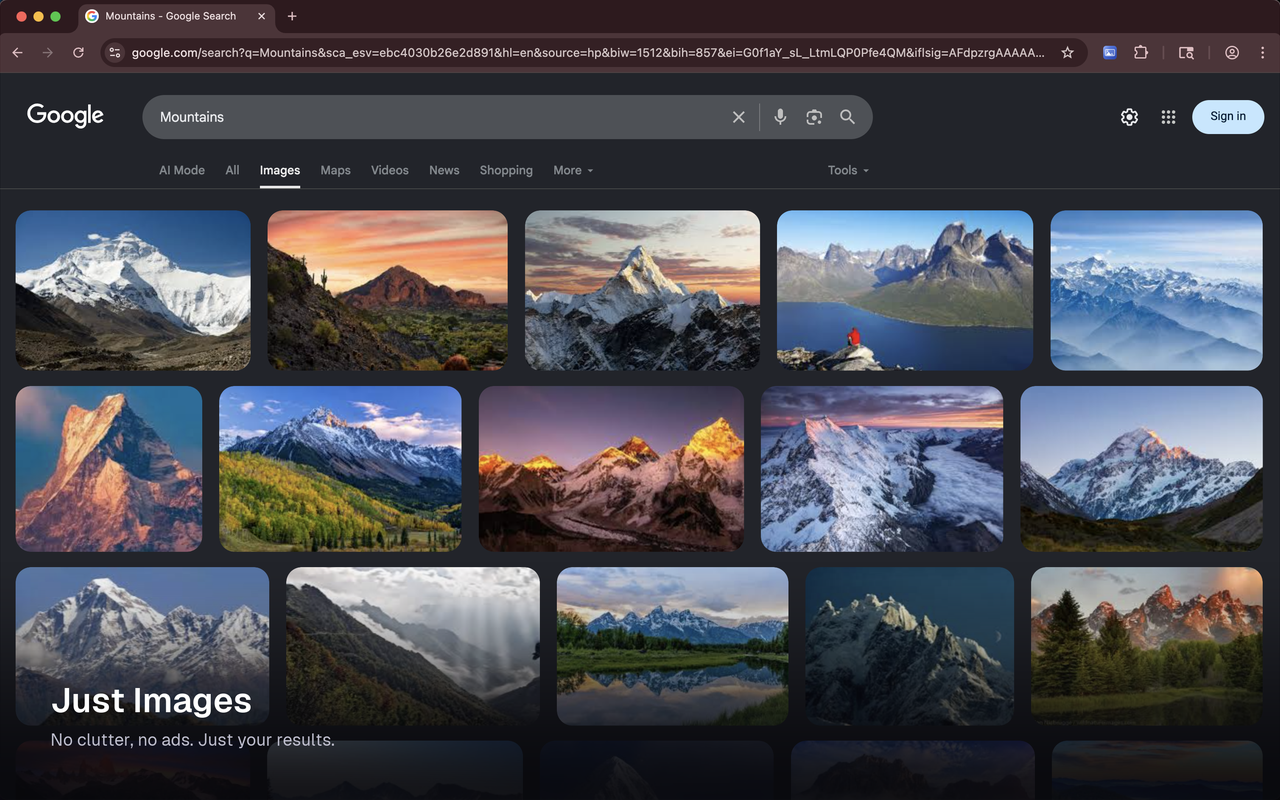
Uniform card grid of Google Images results with rounded corners.

02 · Viewer

Glass Overlay Viewer

Click any image to open it in a centered full-screen viewer rather than Google's default side panel. A glass card sits on a dimmed blurred backdrop with smooth open and close animations. Navigate through results with the arrow keys without leaving the viewer.

Glass overlay viewer over a dimmed page.

03 · Context

Info Panel

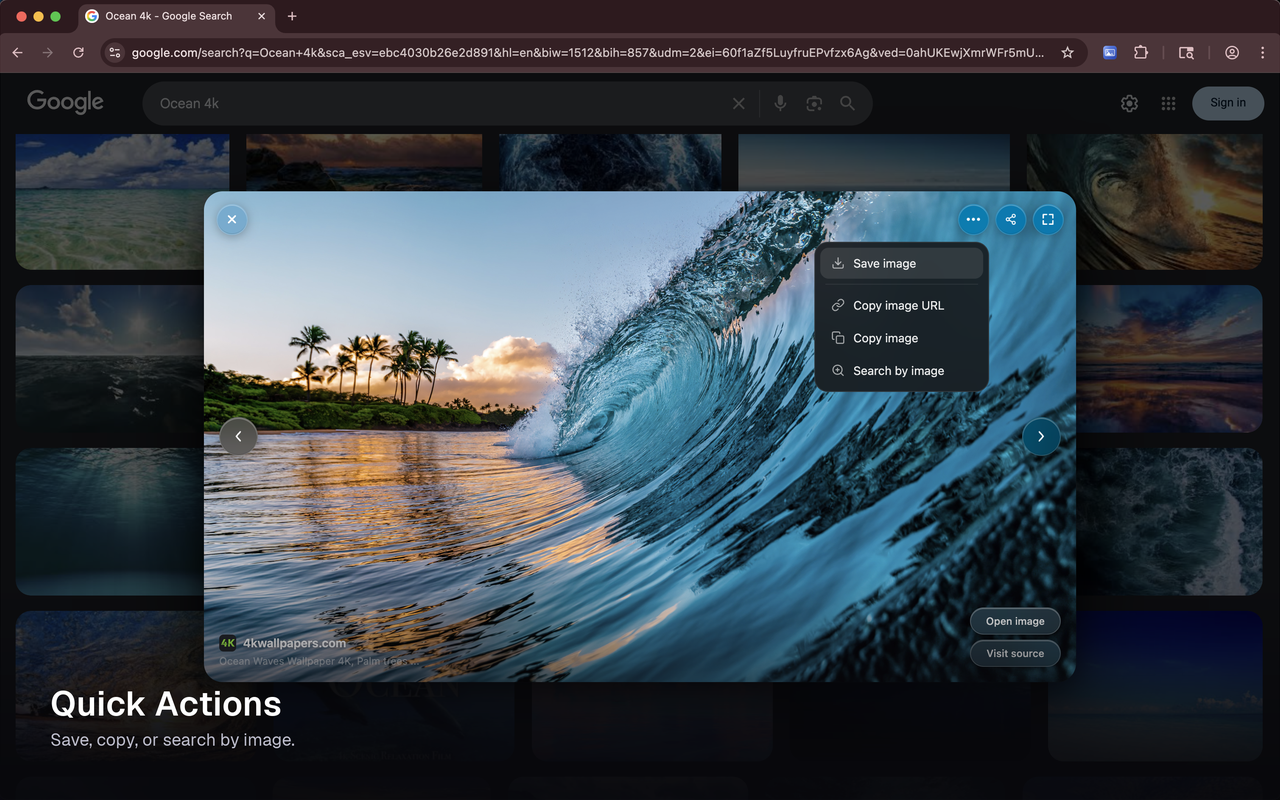
Hover over the viewer to reveal the source site, page title, and action buttons: Open image, Visit source, Copy image, Copy image URL, Search by image. Pin the panel with the I key so it stays visible.

Info panel with action buttons over the glass overlay viewer.

04 · Control

Keyboard Shortcuts

  • ← → Previous and next image
  • F Toggle fullscreen
  • I Pin info panel
  • Esc Close viewer

05 · Trust

Privacy First

No data collection. No tracking. No background requests. The extension makes a network request only when you explicitly choose to copy an image, fetching that one image so it can be placed on your clipboard. Nothing runs automatically.

Read the full privacy policy →

What's New

Recent updates

Glass is updated regularly. Here is what changed, newest first.

v1.1.1 July 7, 2026

Scrolling and layout fixes for Google's latest results page.

  • Scrolling works again, end to end. Results keep loading past the first hundred images, and the page stays fast on long sessions.
  • The uniform card grid is back on Google's latest layout.
  • Images open at full size dependably, and a card never stays blank.
  • Smoother interactions: double clicks open cleanly, Escape steps out of fullscreen first, and the viewer has full keyboard support.
  • The toolbar popup follows your system's light or dark theme.

No new permissions.

v1.1.0 June 1, 2026

Reliability and readability fixes.

  • Full size images open reliably, even from sites that used to fail.
  • Overlay controls stay readable over light images.
  • Smoother scrolling. The grid no longer jumps as new results load.

No new permissions.

v1.0.0 May 3, 2026

Initial public release.

  • Clean, uniform card grid in place of Google's default results.
  • Fullscreen glass viewer with smooth open and close and keyboard navigation.
  • Source details, quick actions, and a popup toggle to turn Glass on or off.

Try it on your next search

Free. No account. No telemetry. Disable any time from the toolbar popup.

Add to Chrome

FAQ

Questions, answered honestly

Does Glass send any of my data anywhere?

No. The extension has no servers, no analytics, and no telemetry. The only network request it ever makes is fetching an image when you explicitly choose Copy image, so the bytes can land on your clipboard.

Can I turn it off without uninstalling?

Yes. Click the Glass icon in the Chrome toolbar and use the toggle. The setting syncs across your signed-in Chrome instances.

Why does the extension request access to all https sites?

Copy image needs to fetch the image you clicked from whatever site Google indexed it from. Image URLs come from arbitrary domains, so the host pattern can't be narrowed without breaking the feature. The fetch only runs when you click Copy image, and it omits credentials.

Does Glass change Google's search results?

No. Glass restyles the existing results page and replaces the image viewer overlay. It does not re-rank, filter, or add results. If a page reload looks different, that's Google's own ranking, not the extension.

Who built this?

Glass is a personal project by Carlos Villa. Bug reports and feature requests welcome at glass@carlosvilla.xyz.